AI for strategic planning
Huxley is the AI assistant built into Wayframer. Huxley works through the strategy with you, from the first discovery conversation to assessing every alternative, and the decisions stay with you.
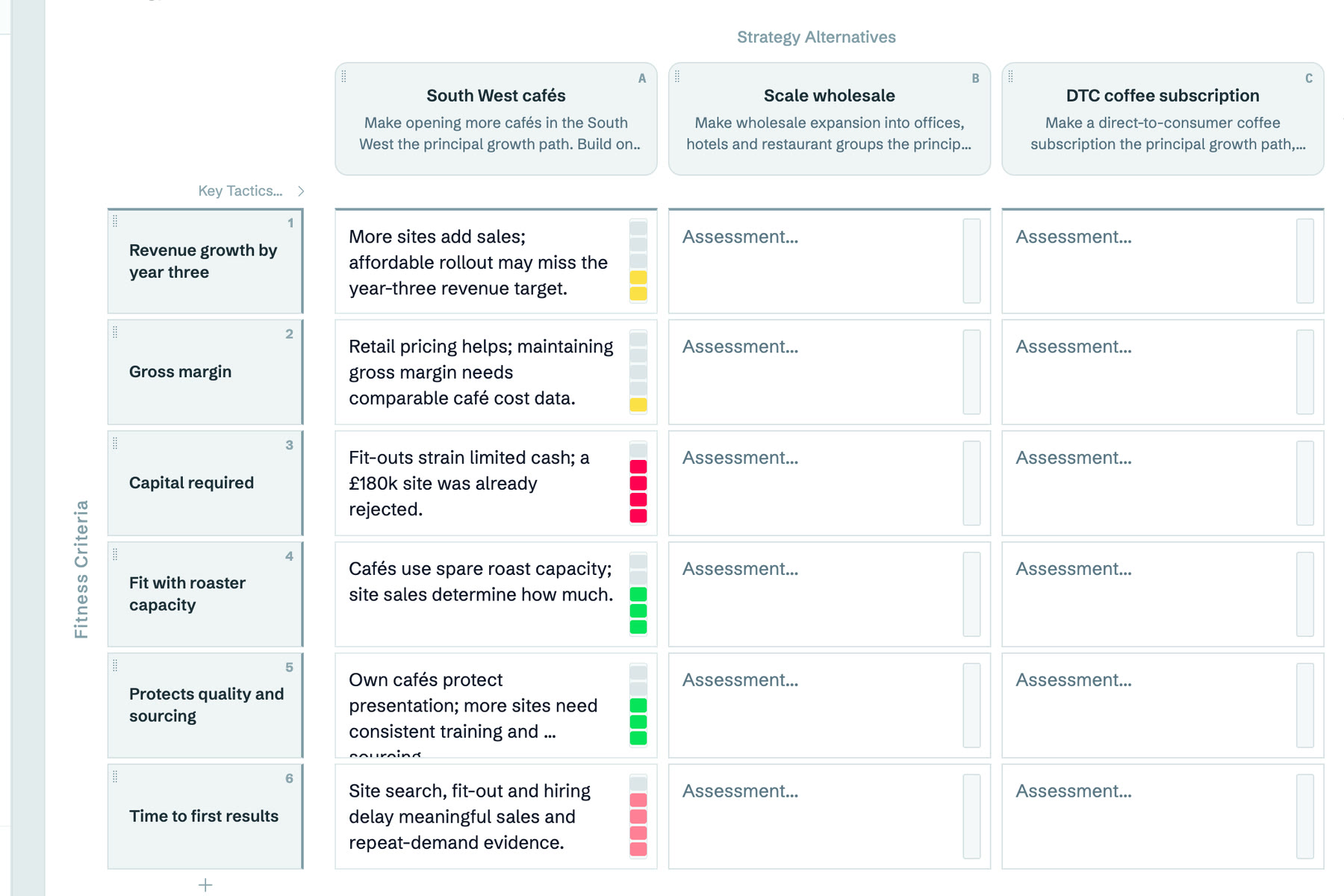
Every verdict carries its reason
Huxley assesses each alternative against each fitness criterion and writes the reason beside the verdict. Read it, question it, and change it where you know better.
Huxley asks first
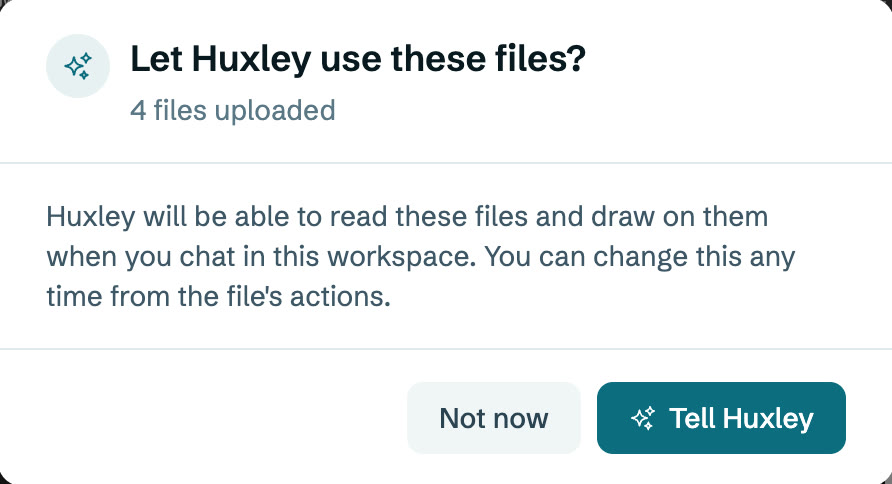
Upload your accounts, contracts or a capacity sheet and Huxley asks before drawing on them. Huxley also asks before replacing anything you wrote.
You can change what Huxley may read at any time from the file's actions.
What AI is good for in strategy
A language model is quick at the parts of strategy that take time: summarising evidence, drafting a diagnosis, suggesting alternatives and checking every alternative against every criterion. It knows your business only through what you show it, and it has no stake in the outcome. The best use of AI in strategic planning keeps a person deciding and asks the AI to show its reasons.
What Huxley does
- Runs the discovery. A new endeavor opens with a conversation that captures where the business is and where it needs to go, kept as a module in the workspace.
- Drafts on request. Ask for a first diagnosis, an aspiration, a set of alternatives or the rows of a plan, and Huxley writes them into the workspace.
- Assesses alternatives. In the Strategy Alternatives Matrix, Huxley gives each cell a verdict and writes down why, so you can see the reasoning and challenge it.
- Sees your screen. Huxley knows which framework and section you have open, so you can ask about what is in front of you.
- Reads your files when you allow it. Accounts, capacity sheets and contracts inform Huxley's drafts once you say so.
You stay in charge
Huxley asks before replacing anything you wrote, and before reading your files. Every verdict can be changed. The choice of strategy, the lock and the hand-over are yours.
Bring your own AI
Already work in Claude, ChatGPT, Cursor, VS Code or Claude Code? Connect it to Wayframer from Settings, with read-only access or permission to make changes. It can build your framework map, fill a workspace, add module rows, notes and comments, and read your pack and files. Changes it makes show on your open screen straight away, and every call is listed under Activity.
Your work and AI training
Wayframer does not use your work to train AI models. Huxley reads your strategy to help you with it, and each organisation's work is kept apart from every other's. See the security page for the detail.
Using a general chatbot for strategy
A general chatbot can produce a plausible strategic plan in seconds. It knows your business only through what you paste in, the reasoning stays in one person's chat, and a team cannot work on it together. Wayframer keeps the reasoning in a shared workspace, attached to the evidence, so the plan can be challenged, changed and handed over. If you prompt a chatbot today, the strategic planning process guide shows the steps worth working through.
Related guides
Strategic planning software. How Wayframer takes a team from a goal to a chosen strategy and a plan.
The Strategy Alternatives Matrix. Set the ways forward side by side and test each against the same fitness criteria.
The strategic planning process. Seven steps from a goal to a strategy the team can test and keep using.
Questions
Can AI write a strategic plan?
AI can draft one quickly, but a plan is only as good as its diagnosis and the choice behind it. Use AI to draft, assess and summarise, and keep a person deciding with the reasoning in view.
What should I look for in an AI strategic planning tool?
An AI that works inside a structured method, shows its reasoning, works on your real evidence with your permission, and lets a team review and change what it produces.
Does Wayframer train AI on my work?
No. Wayframer does not use your work to train AI models.
Can I use ChatGPT or Claude with Wayframer?
Yes. Settings has a Connected AI tab with the steps for Claude, ChatGPT, Cursor, VS Code and Claude Code. Choose read only, or read and make changes.